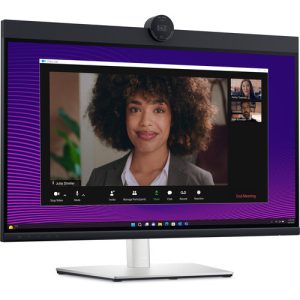
Dell P2424HEB 24″ Video Conferencing Monitor | Built-In Webcam | Built-In USB Hub with Power Delivery | 2 years Parts Replacement warranty
Dell P2424HEB 24″ IPS Video Conferencing Monitor
- 4″ 16:9 IPS Panel
- HDMI | DisplayPort | USB-C
- Full HD 1920 x 1080 at 60 Hz
- Built-In Webcam
- 5ms Response Time
- 1000:1 Contrast Ratio
- 250 nits Brightness
- 16.7 Million Colors with 8-Bit Depth
- 99% sRGB Color Gamut
- Built-In USB Hub with Power Delivery
 Quick Enquiry
Dell P2424HEB 24″ 16:9 IPS Video Conferencing Monitor
This monitor features an In-Plane Switching (IPS) panel with 178° vertical and horizontal viewing angles, Full HD 1920 x 1080 resolution, a 1000:1 contrast ratio, and a 60 Hz refresh rate. The built-in 4MP camera makes this monitor perfect for office use and work-from-home setups.
Features & Design
Connect like you’re there
Effortless collaboration
Look great in low light: Temporal (3D) and Spatial (2D) Noise Reduction automatically eliminates motion blur and grainy images in low light, while AI Auto Framing keeps you in the middle of the frame even as you move around.
Loud and clear: Collaborate like you’re there with built-in, dual echo cancellation mics and dual 5W speakers, strategically positioned at the top of the monitor for an immersive audio experience.
Interaction secured: The manual webcam shutter and convenient microphone mute button on this Zoom-certified monitor helps ensure that you’re only communicating what you want to share, when you want to share it.
Easier connections: Launch Teams meetings effortlessly with the quick access touch control on this certified for Microsoft Teams monitor.
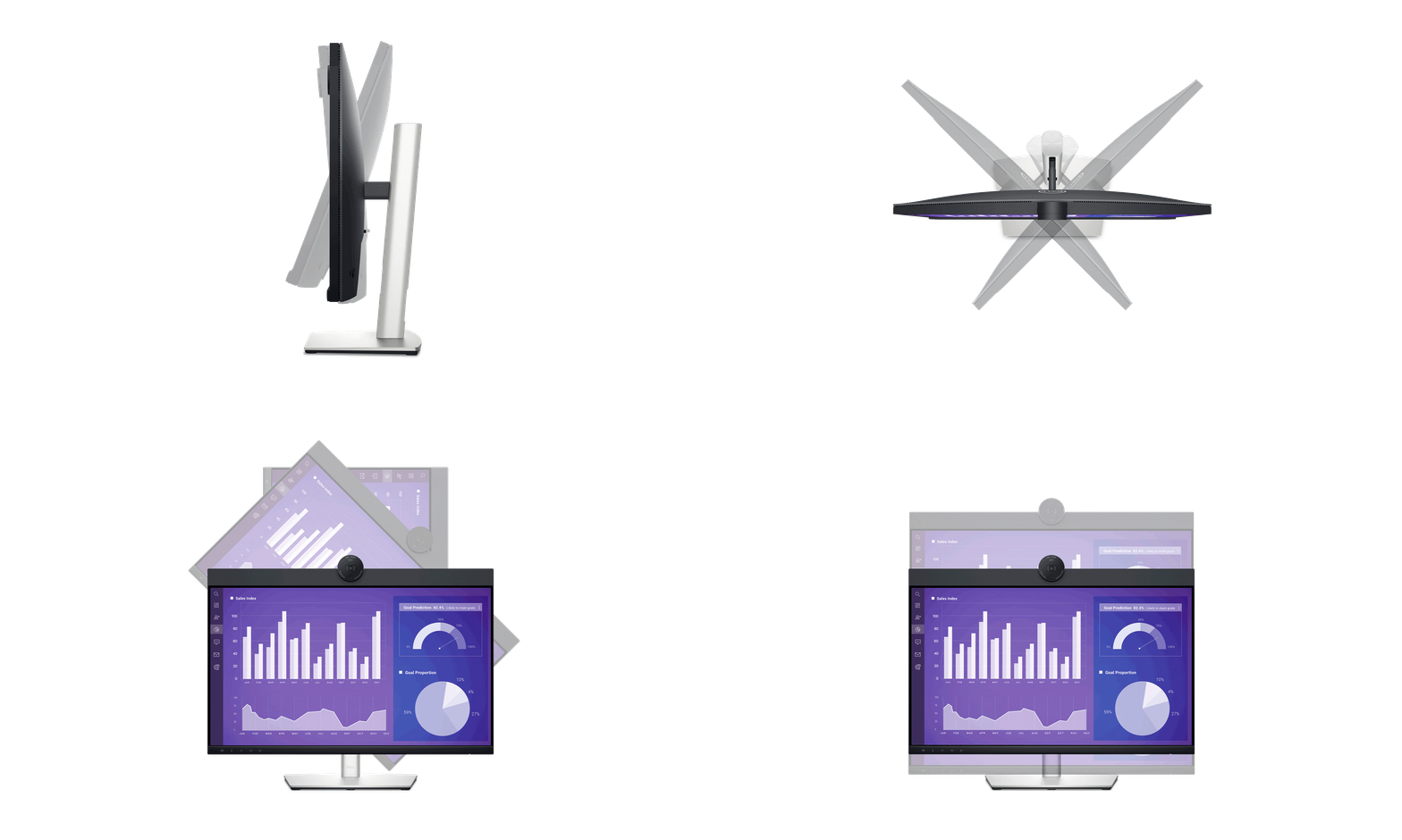
Your productivity hub
The power of USB-C: Get up to 90W of power delivery via USB-C and charge your laptop (even when the monitor is off) with the Always On Power Delivery feature. This single-cable solution also reduces cable clutter and transmits power, data and audio—all at once.
Quick convenience: Plug in whatever you need and keep it in reach with the two, super speed USB 5Gbps (USB 3.2 Gen1) quick-access ports. There’s even space to charge your mobile phone (up to 15W power charging) with the USB-C quick-access port.
Enhanced manageability: Managing your monitor is easy with MAC Address pass-through, PXE Boot, and Wake-on-LAN conveniently built in.
Multitask efficiently: Connect two PC sources to the monitor—our intelligent Auto KVM feature detects the second connected PC and seamlessly switches controls over. KVM (keyboard, video and mouse) allows you to control both PCs with a single keyboard and mouse. Plus, you can enhance efficiency by adding a second monitor via the daisy chain feature.
Dell Display and Peripheral Manager
Easy Arrange tiles apps across screens with pre-set partitions and customizes up to five windows, enhancing multitasking. Easy Arrange Memory saves and restores app profiles manually, on schedule, or at start-up.
Customize your views
Work comfortably, day or night. Automate your brightness and contrast settings to match your schedule.
More manageable
Save time and boost IT efficiency with the Dell Device Management Console to manage your Dell peripheral fleet at scale, from a single cloud-based console. Discover expanded Command Line Interface features from Dell Display and Peripheral Manager.
Green thinking. For today and tomorrow.
Eco-conscious packaging: Dell monitors ship in boxes made with 100% renewable content that is also 100% recyclable.
Energy conservation: Save energy when your monitor’s not in use with PowerNap, a feature that dims or puts your monitor to sleep when it’s not in use.
Works with devices on macOS®*
*Based on internal testing of select Dell monitors with USB-C or HDMI connection to devices on macOS, June 2024. Some features may not be supported.
Ports and slots
1. Security lock slot (based on Kensington Security Slot™)
2. Power connector
3. HDMI
4. DisplayPort 1.2
5. USB 3.2 Gen1 Type-C (Alt mode with DP 1.2 upstream, up to 90W power delivery)
6. DisplayPort-out
7. USB 3.2 Gen1 Type-B upstream
Cables included
Power cord
DisplayPort to DisplayPort, 1.80 m
USB 3.2 Gen1 Type C-to-C, 1.80 m
USB 3.2 Gen1 Type A-to-B upstream, 1.80 m
9. RJ45 Ethernet port, 1GbE
10. USB 3.2 Gen1 Type-A downstream (with BC 1.2)
11. 3.5 mm combo headphone with microphone jack
12. USB 3.2 Gen1 Type-C downstream (PD of up to 15W)
13. Stand lock feature
Why Buy From Us ?
Buddha Trade Concern is dedicated to providing our customers with the best service possible! We will continue to strive to make your first choice for the best products, lightning-fast shipping, and superior customer service. We’ve partnered with world leaders in technology and security to provide you with an easy to use, fully interactive and secure on-line shopping experience.
Let’s Connect
Your email addres will not be published. Required fields are marked *
Related Products