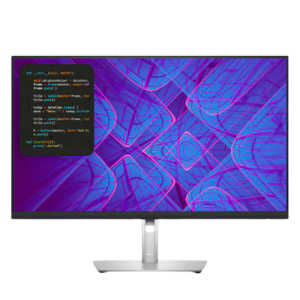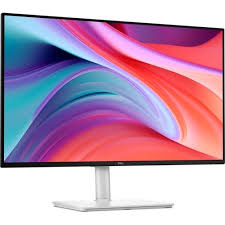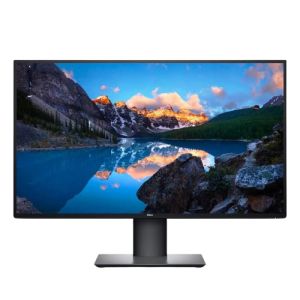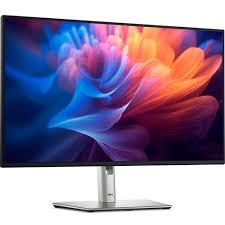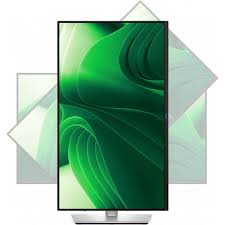
Dell P2425D Pro 24″ Plus QHD IPS Monitor | 2560 x 1440 Resolution at 100 Hz | HDMI | DisplayPort | USB-C Ports | USB-A Ports | 2 years Warranty
Dell P2425D Pro 24″ Plus QHD IPS Monitor
- 23.8″ 16:9 IPS Panel
- HDMI | DisplayPort
- USB-C Ports | USB-A Ports
- 2560 x 1440 Resolution at 100 Hz
- 5 ms Response Time
- Up to 15W of Power Delivery
- 16.7 Million Colors | 99% sRGB
- 350 Nits Brightness
- 178/178° Viewing Angles
- Included Adjustable Stand
 Quick Enquiry
Dell P2425D Pro 24″ Plus QHD IPS Monitor
This monitor features a 23.8″ In-Plane Switching (IPS) panel that provides a viewing angle of 178° while sporting a QHD resolution of 2560 x 1440 with a refresh rate of 100 Hz.
Dell has designed this monitor to offer multiple response times for different contexts, giving an 8 ms under normal and 5 ms under fast circumstances. The Pro 24″ Plus boasts support for 16.7 million colors and is backed by a 1500:1 contrast ration and 350 nits brightness. Color accuracy is delivered by 99% sRGB, allowing for deep colors and vivid images. A plethora of inputs are featured on this monitor, one of which offers power delivery. The rear panel features one HDMI 2.1 port, one DisplayPort 1.4, one 5 Gb/s USB-B upstream port, one 5 Gb/s USB-C downstream port, and three 5 Gb/s USB-A downstream ports. The USB-C downstream port features up to 15W of power delivery. Dell has bundled an adjustable stand with this monitor that can be used to find your preferred viewing angles.
- Tilt: Adjustable from -5°/+21°
- Swivel: Bi-directional adjustment up to 45°
- Pivot: Bi-directional adjustment up to 90°
- Height: Adjustability up to 150mm
You can use Dell’s singular, innovative application to optimize the performance of your entire Dell PC workspace.
Maximize Productivity:
- Easy Arrange tiles apps across screens with pre-set partitions and customizes up to five windows, enhancing multitasking.
- Easy Arrange Memory saves and restores app profiles manually, on schedule, or at start-up.
Customize Your Views:
- Work comfortably, day or night. Automate your brightness and contrast settings to match your schedule.
More Manageable:
- Save time and boost IT efficiency with the Dell Device Management Console to manage your Dell peripheral fleet at scale, from a single cloud-based console. Discover expanded Command Line Interface features from Dell Display and Peripheral Manager.
Why Buy From Us ?
Buddha Trade Concern is dedicated to providing our customers with the best service possible! We will continue to strive to make your first choice for the best products, lightning-fast shipping, and superior customer service. We’ve partnered with world leaders in technology and security to provide you with an easy to use, fully interactive and secure on-line shopping experience.
Let’s Connect
Your email addres will not be published. Required fields are marked *
Related Products